

asociación amigos de la basílica

logoblanco web 72 Basilikaren Lagunak Elkartea

quienes somos

Estatutos

Un grupo de portugalujos y portugalujas preocupadas en mantener, revalorizar y potenciar la dimensión cultural del máximo exponente monumental e histórico de la villa, se constituye en asociación bajo la denominación de asociación de amigos de la basílica de Portugalete - Portugaleteko Andra mariaren Basilika Adiskideen elkartea.

Esta asociación tiene carácter estríctamente cultural y estará al margen de actividades lucrativas o de ideologías políticas. Las activdiades que organice dentro del templo serán siempre sin desdoro del significado y objeto primordial del mismo.


¿EStas interesado en asociarte?

Alta de socio/a

En cumplimiento de lo previsto en la Ley Orgánica 15/1999, de 13 de diciembre, de Protección de Datos de carácter personal, la ASOCIACION DE AMIGOS DE LA BASILICA DE SANTA MARIA DE PORTUGALETE, CON DOMICILIO EN C/ Cantón de la Iglesia, s/n, de Portugalete, le informa que los datos por Vd. Facilitados se incorporarán a un fichero de su titularidad, reconociéndose la posibilidad de efectuar gratuitamente sus derechos de acceso, rectificación, cancelación y oposición en la dirección indicada. Los datos serán utilizados, únicamente, para los fines de la ASOCIACION DE AMIGOS DE LA BASILICA DE SANTA MARIA DE PORTUGALETE y no serán facilitados a terceros sin autorización expresa.

Indicanos

  • Nombre y apellidos
  • Fecha de nacimiento
  • DNI
  • Domicilio
  • Localidad
  • Teléfono
  • Correo electrónico

Domiciliación bancaria (20 dígitos) Cuota 15,00€

Asociación

Widgets

Currently available widgets

Slideshow

Slideshow

Grid

Grid

Grid Stack

Grid Stack

Switcher

Switcher

Map

Map

Accordion

Accordion

Gallery

Gallery

Grid Slider

Grid Slider

Slider

Slider

Parallax

Parallax

Slideset

Slideset

List

List

Popover

Popover

Switcher Panel

Switcher Panel

Slideshow Panel

Slideshow Panel


Theme Widgets

Custom widgets for the Avanti theme

Slideshow Avanti

Slideshow Avanti

Slideshow Panel Avanti

Slideshow Panel Avanti

Grid Avanti

Grid Avanti


How to use

Use a shortcode to display your widget anywhere on your website
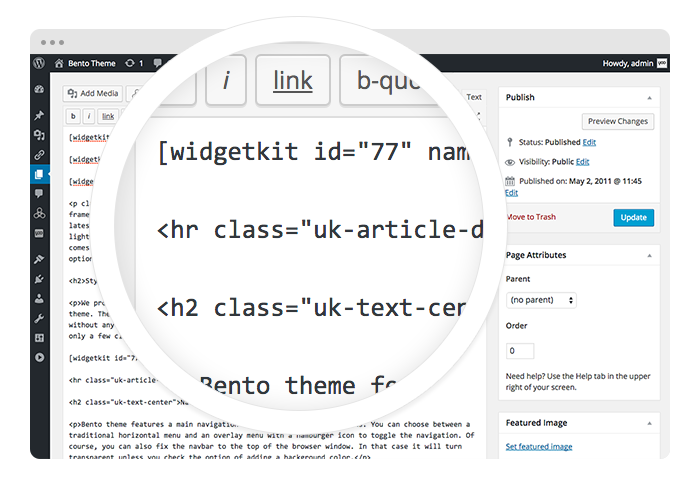
Start in the editor

Start in the editor

To get started, click on the Widgetkit button in your CMS edit view. You will be directed to an overview of already existing widgets, hit the New button. Now choose the widget you would like to render, for example Grid and the content type. Afterwards hit Create to proceed to the next step.
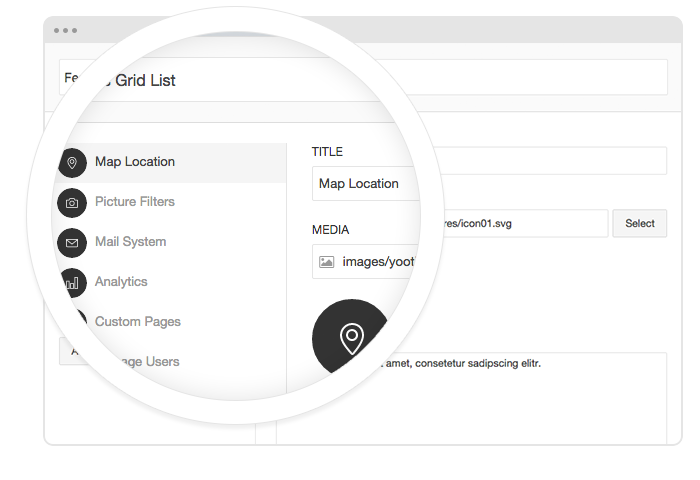

Explore the Interface

Explore the Interface

To create your content, you can add single content items by using Add Item. Alternatively you can use Add Media to select multiple items at once through the media library or manager of your CMS. Enter a name for your widget and go to the Settings tab to configure your widget, then hit Save.
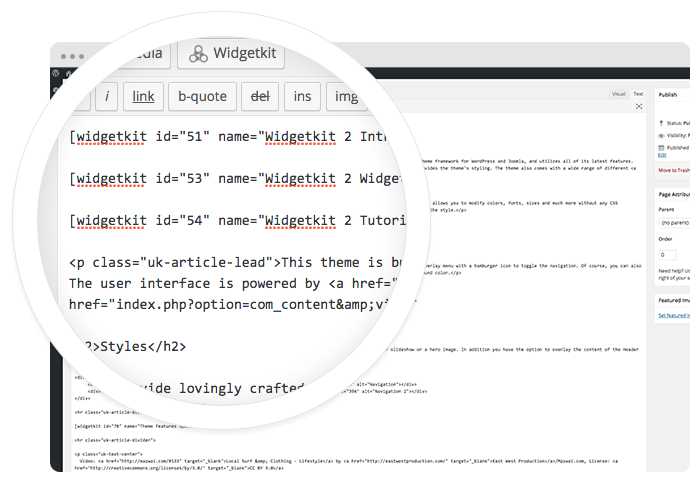

Using the shortcodes

Using the shortcodes

After saving, hit the Cancel button to get back to the widget overview. Click on your newly created widget and a shortcode containing the widget's ID and name will be inserted in the editor. To edit the widget, click inside the shortcode and hit the Widgetkit button again.


Features

All widgets make use of modern web technologies

  • All widgets are fully responsive
  • Use shortcodes to show widgets anywhere
  • Clean and lightweight code
  • User friendly interface
  • Supports touch gestures for mobile devices
  • Built with the UIkit framework